
Pet Talk — your cats are about to be heard.
Made for Goddess & her two cats 🐾
Pet Talk learns your cats' own voices. You teach it what a sound means — hungry, wants the door, just saying hello — and over time it starts answering back with its best guess, out loud, in plain words. No two cats sound alike, so Pet Talk learns yours one sound at a time.
Get it on your phone
Open the link Keith sent you — or scan the QR code picture he sent with it — then save Pet Talk to your home screen.
Add your cats
Put in each cat's name in the app below — it keeps a separate voice profile for each one.
Listen & teach
When a cat talks, tap what was happening. 20–30 examples of each sound and it really starts to know them.
Get Pet Talk on your phone
No app store, no password, nothing to buy. The QR code for this page is ready below — send Goddess the picture. One scan of that picture brings her straight to this page, and saving it to her home screen puts Pet Talk on her phone like a regular app, ready for the day the Pet Talk box arrives. Every future tester can get in exactly the same way.
📱 Once it's made: point a phone camera at it
Whoever scans the finished code lands right on Pet Talk. Download it below, text the picture to Goddess, or print it out and stick it on the fridge.
- 1
The code is ready
The QR code on the left is ready to go — download it below, text the picture to Goddess, or print it out. Every tester after her can use the same code.
- 2
Goddess scans it
Phone camera → point at the code → tap the link that pops up. Pet Talk opens right in the browser.
- 3
Save it to the home screen
Two taps and Pet Talk sits on the phone next to your other apps — see the steps for your phone below.
🍎 iPhone (Safari)
Open Pet Talk in Safari → tap the Share button (square with an arrow) → tap Add to Home Screen → tap Add. Done — the Pet Talk icon is on your home screen.
🤖 Android (Chrome)
Open Pet Talk in Chrome → tap the ⋮ menu → tap Add to Home screen (or Install app if it offers it) → tap Add.
The Pet Talk app
This is the real thing, running right on this page. Start with My Pets, then use Listen whenever a cat starts talking. Everything you teach it shows up in the Journal — and you can download that journal to send back to Keith so he can see how the test is going.
Who are we listening to?
Add each of your cats — Pet Talk keeps a separate voice profile for each one, because each cat has its own way of asking for things. Tap a cat to make it the one you're working with. (A dog can join too — just pick Dog.)
Listen mode
Tap Start listening, hold the phone near your cat, and let it hear them talk. When it catches a sound, it tells you its best guess out loud — based only on what you've taught it about your cat. No guesses are faked: the more you teach, the better it gets.
Not listening yet
Your phone will ask permission to use the microphone — tap Allow. Nothing is recorded or sent anywhere; the phone just listens in the moment.
Sound heard!
After a sound is heard, scroll down to Teach and tap what was really happening — that's how Pet Talk learns your cat's voice.
Teach mode
Your cat just made a sound — what was happening? Tap the one that fits. Each tap is one example. Aim for about 20–30 examples of each sound and Pet Talk will know it cold.
Add a pet first — teaching is saved under the pet you pick in My Pets.
Be honest and consistent — if you're not sure what a sound meant, skip it. Wrong labels teach wrong lessons.
Talk back — in your own voice
Your cats know your voice, not a robot's. Record yourself saying each phrase once, then tap Play any time to call them, announce dinner, or settle them — in the voice they trust.
Recordings live on this phone for this visit. Record in a quiet room, close to the phone, just like you'd say it to them.
Test journal
Every sound you teach is logged here with the time. This is the gold for a first test — download it and send it back to Keith so he can see what your cats said and how fast Pet Talk is learning them.
Everything you need, to download
Three files cover the whole test. Keep them on your phone and you're set — even before the Pet Talk box arrives.
The QR code
The scan-and-go picture for this page. It's ready in the section above — download it there, and from then on, anyone can get Pet Talk by pointing a phone camera at that picture.
Get the QR code ↑Tester guide
The full quick-start on one file: getting the app on your phone, adding your cats, teaching sounds, talking back, and what to send Keith.
Your test journal
Your cats' sounds and what they meant, logged as you teach. Download it any time from the Journal tab and send it back to Keith.
Open the Journal ↑Your first week as Tester #1
Day 1 — Get set up
Save Pet Talk to your home screen, add both cats with their names, breeds, and ages, and record your Talk Back phrases.
Days 2–3 — Catch the mealtime sounds
Cats talk most around food. Keep Listen mode handy at feeding time and teach every sound you hear — hungry is usually the first one Pet Talk learns.
Days 4–5 — Doors, hellos, and complaints
Teach the door/wants-out sound, the just-saying-hello sound, and anything that sounds like a complaint. Different times of day bring out different voices.
Days 6–7 — See what it has learned
Run Listen mode and let Pet Talk guess before you teach. Note when it's right and when it's off — then download your journal and send it to Keith.
When the Pet Talk box arrives
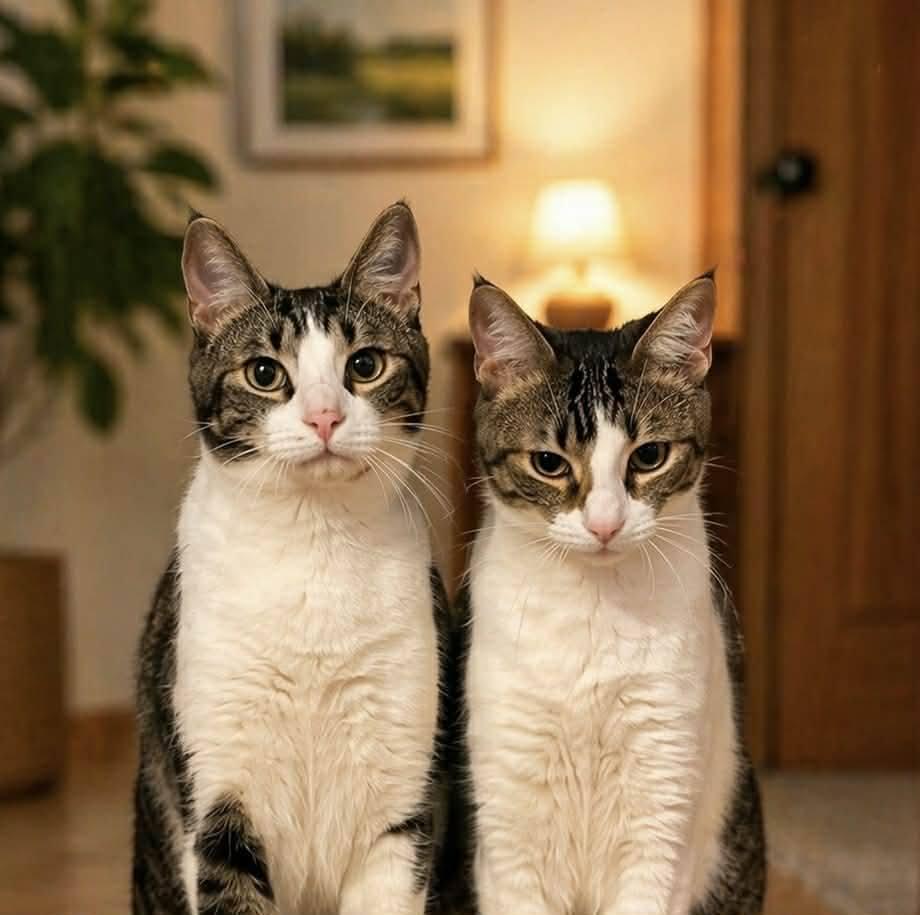
The app you're holding is half the team.
The Pet Talk box is a little listener that lives in your cats' favorite room — it hears them even when your phone is in another room, and its light ring lets you know the moment one of them speaks up.
Everything you're teaching the app now carries straight over: the same cats, the same sounds, the same meanings. When your box arrives, Keith will walk you through connecting it to this app — until then, the app works fully on its own, and every sound you teach makes the box smarter from day one.

Connect to your Pet Talk box
When your box is here and powered on, connect it right from this page. You'll see what the box sees and hears as it happens — and you can ring its chime and change its light ring from here. The app keeps working on its own whether the box is connected or not.
Not connected
Your Pet Talk box isn't connected yet. Make sure it's plugged in and nearby, then tap the button below.
This browser can't talk to the Pet Talk box.
Talking to the box uses something called Web Bluetooth, and this browser doesn't have it — that's the case with Safari on iPhone and with most in-app browsers (for example, a browser inside another app).
To connect your box, open this same page in Chrome on an Android phone, with the phone's Bluetooth turned on. Everything else in Pet Talk — your pets, Listen, Teach, Talk Back, and your Journal — works just fine right here, no box needed.
Talk to the box
These buttons light up once you're connected.
Live from the box
What the box sees and hears will show up here, newest first.
Goddess — thank you for being the very first to test Pet Talk. Your cats are the first voices it will ever learn, and everything it becomes starts with what you teach it. Take your time, have fun with it, and tell me everything — the good, the funny, and the “that ain't right.”
— Keith Jackson, Detroit Neon Lights